

 Set up docs MCP
Accessing connection details
To connect your applications to ClickHouse Managed Postgres, navigate to the Connect view in the left sidebar of your instance.
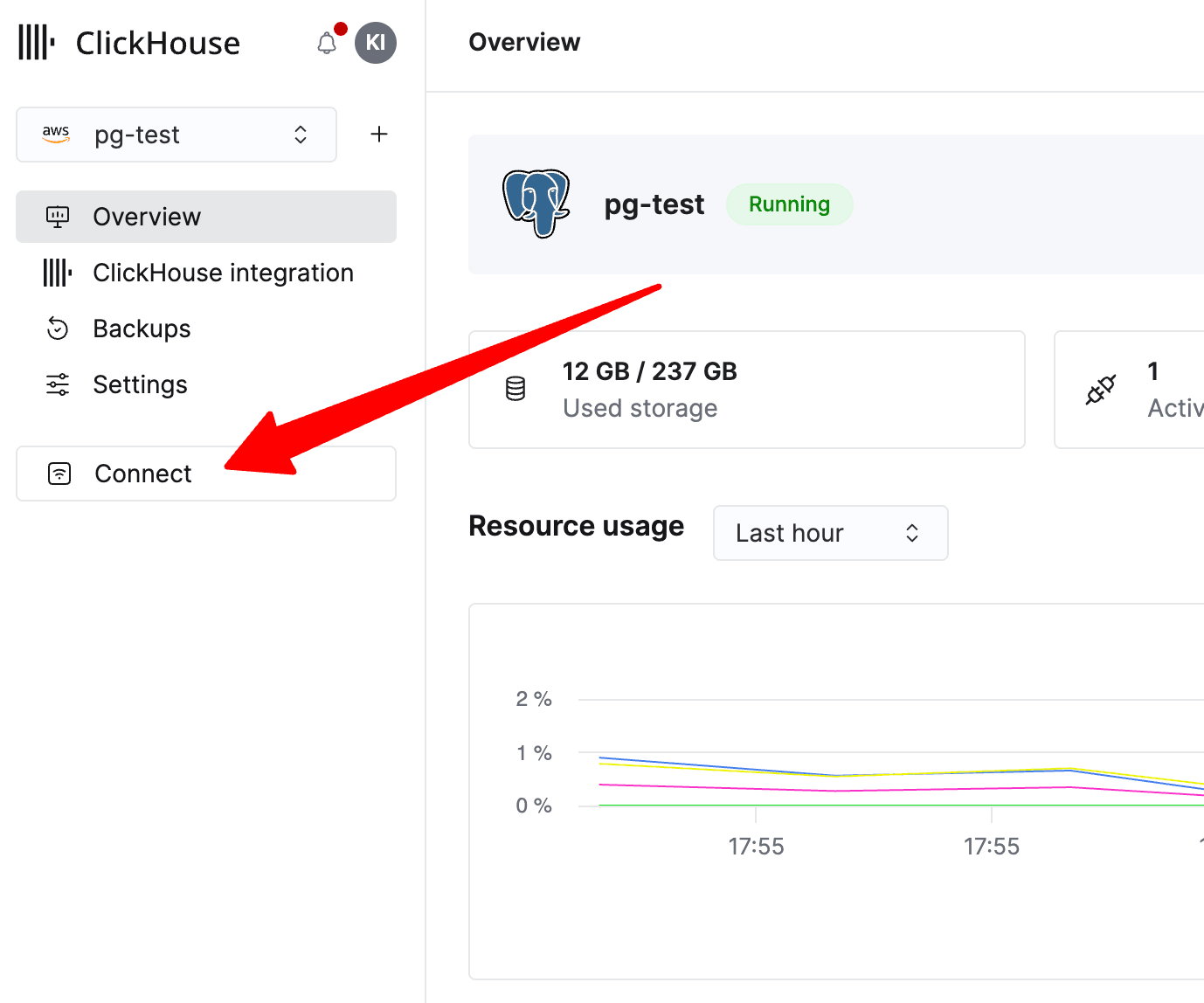
Clicking Connect opens a modal displaying your connection credentials and connection strings in multiple formats.
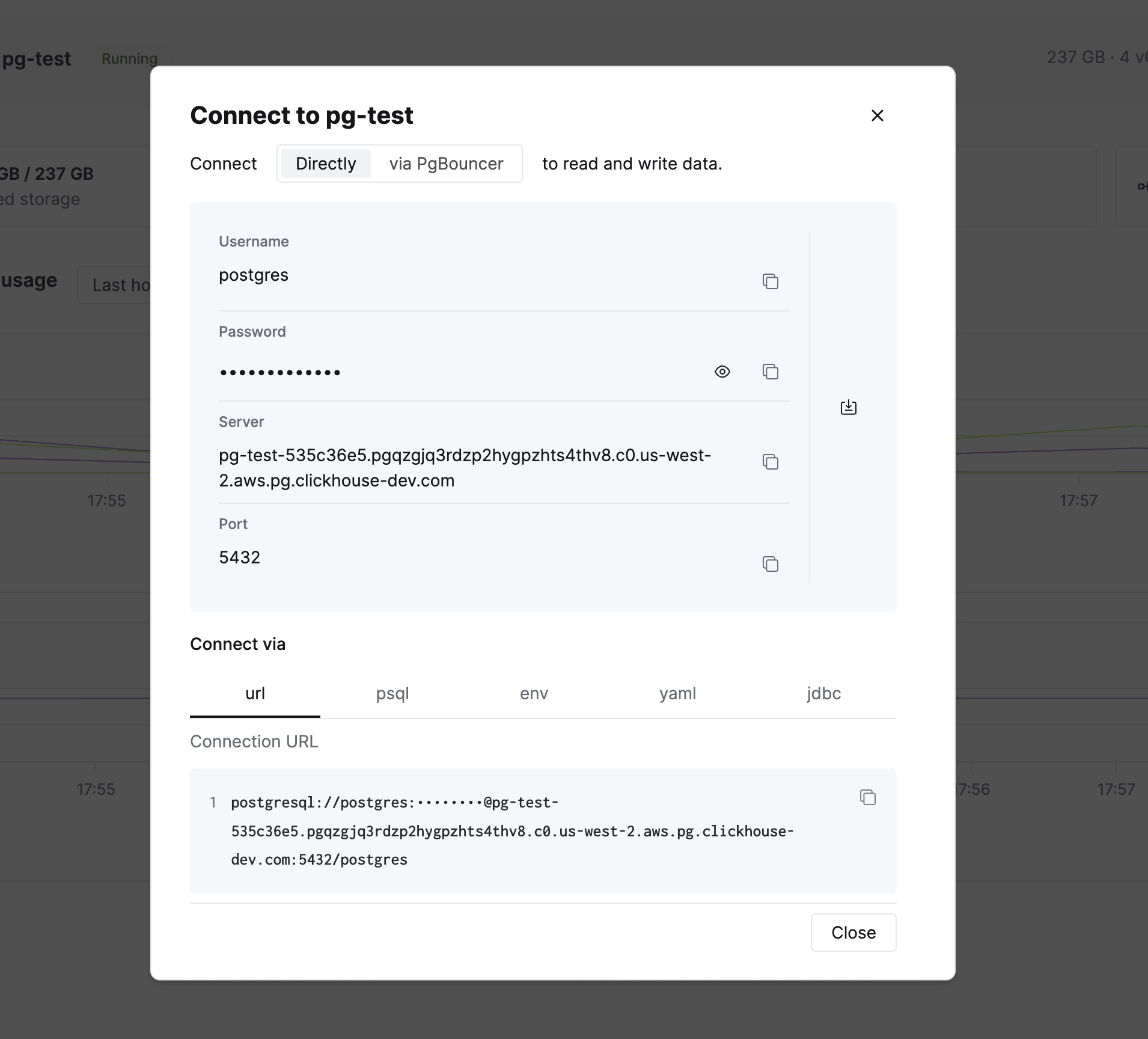
The connection modal displays the following information:
- Username: The database user (default:
postgres) - Password: Your database password (masked by default, click the eye icon to reveal)
- Server: The hostname for your ClickHouse Managed Postgres instance
- Port: The PostgreSQL port (default:
5432)
ClickHouse Managed Postgres provides superuser access to your database. Use these credentials to connect as a superuser, which allows you to create additional users and manage database objects.
Connection string formats
The Connect via tabs provide your connection string in multiple formats to match your application’s requirements:
| Format | Description |
|---|---|
| url | Standard connection URL in the format postgresql://<USER>:<PASSWORD>@<HOST>:<PORT>/<DATABASE> |
| psql | Ready-to-use command for connecting via the psql command line tool |
| env | Environment variables for libpq-based clients |
| yaml | YAML formatted configuration |
| jdbc | JDBC connection string for Java applications |
For security reasons, the password in connection strings is masked by default. Click the copy icon next to any field or connection string to copy it directly to your clipboard.
PgBouncer connection pooling
ClickHouse Managed Postgres includes a bundled PgBouncer instance for server-side connection pooling. PgBouncer helps improve connection management, performance, and resource utilization, especially for applications that:
- Open many concurrent connections
- Frequently create and close connections
- Use serverless or ephemeral compute environments
To use connection pooling, click the via PgBouncer toggle at the top of the connection modal. The connection details will update to route your connections through the connection pooler instead of directly to PostgreSQL.
TLS configuration
All ClickHouse Managed Postgres instances are secured with TLS. The minimum supported version is TLS 1.3.
Quick connection (TLS encrypted)
By default, connections use TLS encryption without certificate verification:
psql 'postgresql://postgres:PASSWORD@your-instance.pg.clickhouse.cloud:5432/postgres'Verified TLS connection (recommended for production)
For production workloads, we recommend connecting with verified TLS to ensure you’re communicating with the correct server. To do this, download the CA certificate bundle from the Settings tab and add it to your database client’s trusted certificates.
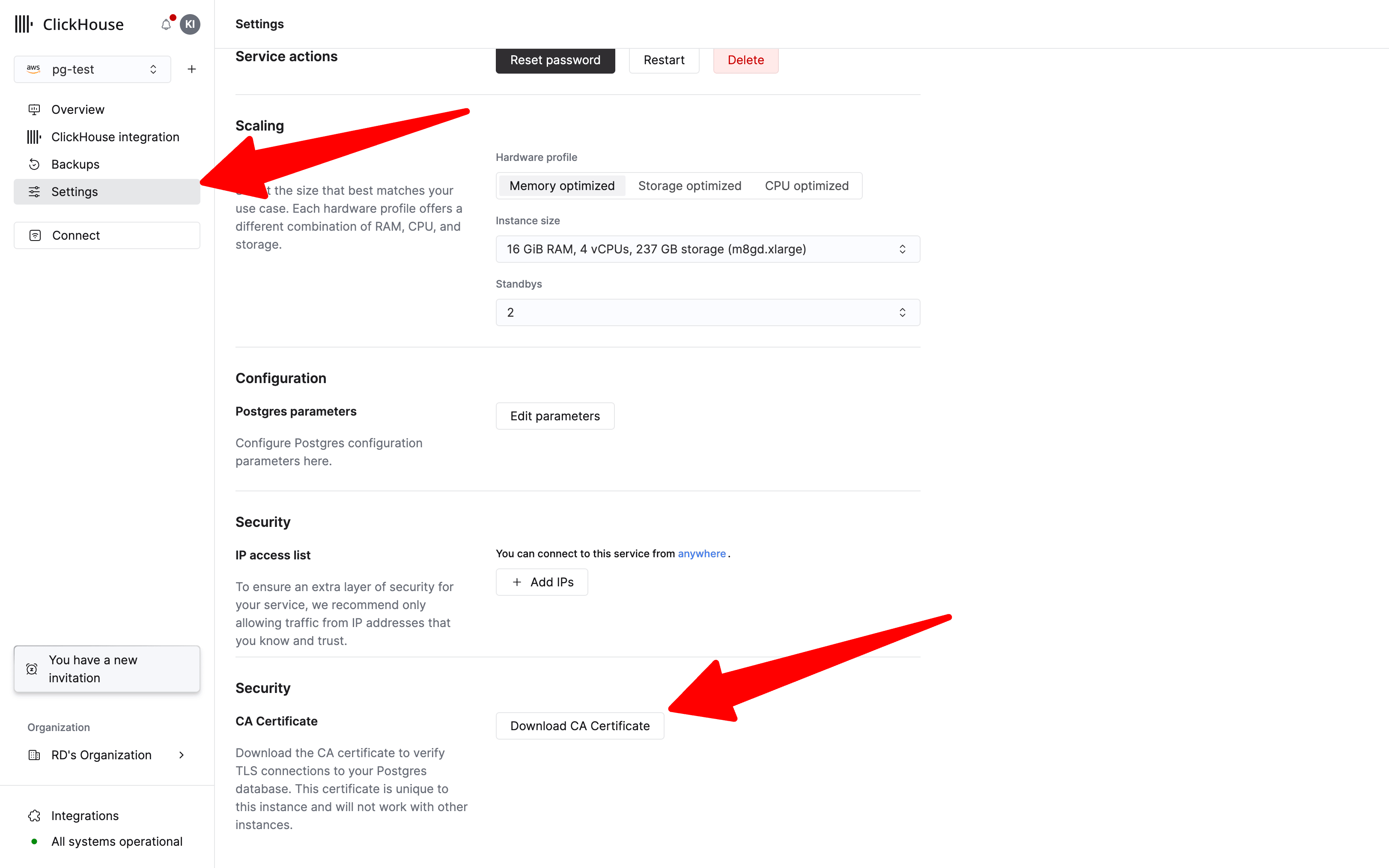
The CA certificate is unique to your ClickHouse Managed Postgres instance and won’t work with other instances.
To connect with a verified TLS connection, add sslmode=verify-full and the path to your downloaded certificate:
psql 'postgresql://postgres:PASSWORD@your-instance.pg.clickhouse.cloud:5432/postgres?sslmode=verify-full&sslrootcert=/path/to/ca-certificate.pem'