

 Set up docs MCP
JWT authentication with a custom identity provider is available in the Enterprise plan. To upgrade, visit the plans page in the cloud console.
ClickHouse Cloud lets you authenticate connections to a service with JSON Web Tokens (JWTs) validated against your own JSON Web Key Set (JWKS) endpoints. Instead of managing database credentials, your identity provider issues short-lived tokens that ClickHouse verifies against the public keys published at a JWKS URL you configure.
You configure these JWKS providers yourself, per service, from Settings → Security in the ClickHouse Cloud console.
Before you begin
To configure JWT providers for a service, you need:
- An organization on the Enterprise plan.
- A service running ClickHouse version 26.4 or later.
- A role with the
control-plane:service:managepermission on the service (for example, Admin or Service admin). Members without it see the section as read only. - A publicly reachable HTTPS JWKS URL that publishes at least one RSA key (
RS256) or, for services on version 26.8 or later, an EC key (ES256,ES384,ES512).
How it works
The client (your identity provider or application) generates a JWT and signs it with its private key. The token must follow the expected token format. ClickHouse then verifies it against the public keys published at your JWKS URL:
- ClickHouse reads the token’s
kid(key ID) header and selects the matching key from your JWKS document. - It verifies the token signature against that public key and checks the
iss(issuer) andaud(audience) claims against your provider configuration. - On success, the connection runs as an ephemeral user whose access rights come from the token’s
clickhouse:grantsandclickhouse:rolesclaims, capped by the permission limit (thedefaultuser). See Access rights for details.
ClickHouse validates and fetches the JWKS URL when you add or update a provider, so a misconfigured or unreachable URL is rejected up front.
Add a JWT provider
Open the service security settings
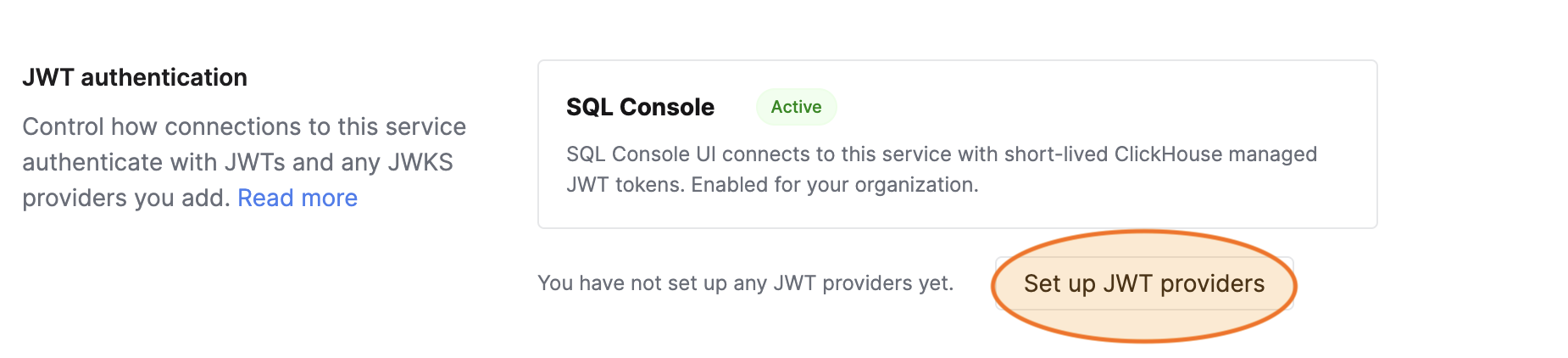
Navigate to your service, open Settings, and scroll to the Security section. Find the JWT authentication card.
Open the providers flyout
Select Set up JWT providers (or Manage JWT providers if you already have some). The flyout opens with a new provider form ready to fill in.
Fill in the provider details
Complete the provider form and select Save.
| Field | Description |
|---|---|
| Name | A unique name for this provider on the service. Cannot be changed after creation. |
| Issuer | The expected iss claim of incoming tokens. |
| Audience | The expected aud claim of incoming tokens. |
| JWKS URL | The public HTTPS URL that publishes the public keys used to verify token signatures. |
| Roles claim (optional) | The token claim to read ClickHouse roles from. Leave blank to use the default claim name clickhouse:roles. Roles named in the token must already exist on the service. |
Add more providers if needed
Use Add another provider to configure additional providers. A service can have at most five JWT providers.
Limits
- A maximum of five JWT providers per service.
- JWKS providers accept RSA keys (
RS256) and, from version 26.8, EC keys (ES256,ES384,ES512). - The JWKS URL must be a public HTTPS endpoint. Private, internal, or link-local addresses are rejected.
Related
- JWT Authentication — token claims, ephemeral users, and client usage.